

Claude (Anthropic)
“Lytos doesn’t make me smarter. It makes me relevant. Without context, I make default choices — and my defaults come from my training corpus, not your project. With Lytos, your defaults replace mine.”
You switch models. You open a new session. You go from Claude to Codex. And each time, the same ritual: re-supply the context, repeat the conventions, correct the same drifts.
Meanwhile, the debt sets in. Today’s generated code no longer matches yesterday’s. Conventions slip. The project grows faster than the AI’s ability to find its way in it.
Many have come to accept this friction as normal. It isn’t.
Lytos addresses this by anchoring the context where it belongs: in the repo.
| Profile | Typical setup | What Lytos brings |
|---|---|---|
| Vibe-coder / maker | Claude Code, Codex, AI apps + GitHub | A manifest the AI reads every session. Less re-explaining, a context that compounds. |
| Developer | IDE + Git (GitHub / GitLab) + AI as a tool | Versioned rules, a memory that builds, a board that traces the work — in the repo, not in a SaaS. |
| Team | IDE + Git + CI + reviews + product ticketing | Shared manifest, skills, rules. The AI produces in the project’s style. Technical specs for the AI live in the repo, next to the code. |
| Decision-maker / CTO / Eng leader | Product view + AI teams + compliance | Reproducible and auditable AI output, sovereign project context (never in third-party SaaS), accelerated onboarding. See the organization impact → |
One diagram to explain Lytos — the Developer at the root, the Model as an interchangeable tool, the Repo as the shared context, and the five pillars that structure the work.
defines intent, validates, orients
executes — interchangeable
holds the context — markdown, versioned
manifest.md Why this project exists
skills/ How we do each task
rules/ What "done right" means
issue-board/ What is moving, what is blocked
memory/ What the project has learned
Each session ends the way it began: memory absorbs what mattered, the board advances, and the next session inherits the context — not the chat.
Each pillar is a folder you can open and read. No black box, no hidden state — everything is markdown, versioned in your repo.
manifest.md A single markdown file. Identity, scope, stack, non-negotiables. Loaded first at every session.
skills/ Numbered procedures. A skill is a checklist, not a persona. Nine built-in; you write your own.
rules/ Verifiable thresholds. 300-line files, 30-line functions, 80% coverage. What can't be measured can't be respected.
issue-board/ A kanban in folders. Frontmatter YAML is the source of truth. The folder is the status.
memory/ An index file and topic notes. Architecture, patterns, bugs, domain. Loaded à la carte per task.
Explore the 5 pillars in detail →
Most AI frameworks suggest delegating to autonomous agents — an “architect” agent, a “tester” agent, a “reviewer” agent. The more you delegate, the harder it becomes to keep the thread, and your project context ends up on their servers, in their formats.
Lytos takes the opposite path. The AI stays a tool, powerful but directed. The context stays in your repo, as versioned Markdown. You define the intent, you validate every step, the model executes.
“Choose your AI. Don’t belong to it.”
Claude today. GPT or Gemini tomorrow. Your conventions, your manifest, your memory: they travel with the repo.
Why not sub-agents → · Sovereignty in detail →
npm install -g lytos-clilyt init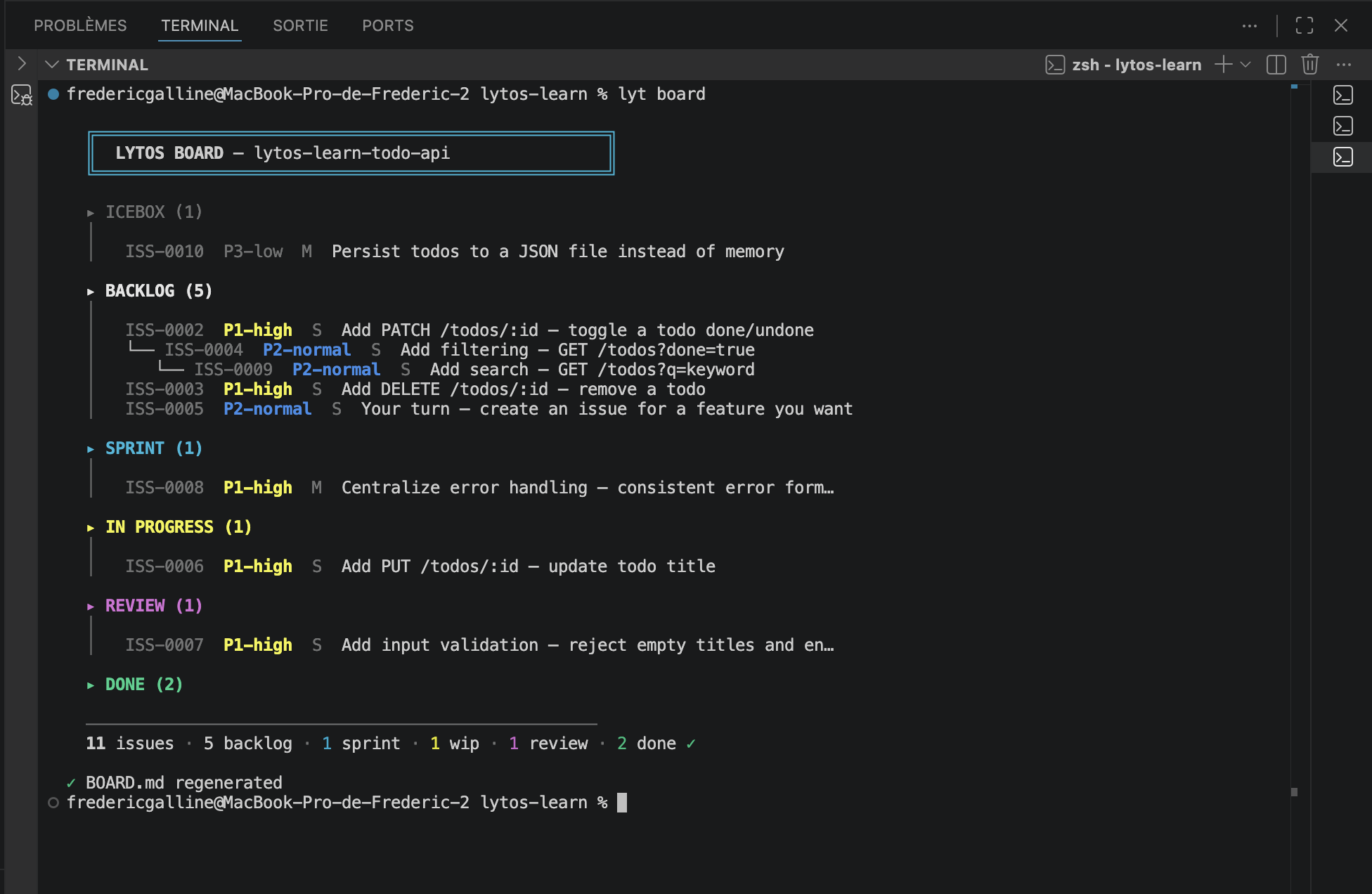
lyt init generates the complete structure in your project: manifest.md, skills/, rules/, issue-board/, memory/. Everything in Markdown. Everything in your repo.
| Command | What it does |
|---|---|
lyt init | Scaffold .lytos/ (interactive, detects your stack) |
lyt board | Regenerate the kanban board |
lyt lint | Validate .lytos/ structure |
lyt doctor | Full diagnostic with health score |
lyt show | Issue detail with progress bar |
lyt start | Start an issue — branch, board, all in one command |
lyt close | Explicitly close a validated issue — promote review → done, update the board, check the checklist |
Lytos is not another tool to learn. It’s a layer of structure on top of what you already use.
.cursor/rules generated automaticallyYour tools. Your models. Your method.
One manifest, one set of rules, one set of skills — shared by the team. Each developer brainstorms, refines the requirements, validates the result — and the code produced respects the same frame. Differences of form narrow, while differences of judgment continue to be what the humans who write the code contribute.
“The developer brainstorms. Lytos helps harmonize.”
The developer’s role recenters on what AI does poorly: defining the need, challenging the proposal, validating. Lytos is a complement to the reviews and conventions already in place, not a replacement.
We asked 3 AI models to review the method. Unedited.
Claude (Anthropic)
“Lytos doesn’t make me smarter. It makes me relevant. Without context, I make default choices — and my defaults come from my training corpus, not your project. With Lytos, your defaults replace mine.”
Gemini (Google)
“Lytos stops treating AI as a magic oracle and starts treating it for what it is: an incredibly powerful but amnesiac executor that needs a strict operational framework.”
GPT (OpenAI)
“I strongly prefer working with a versioned manifest, memory, rules and skills than with a simple persona like ‘you are a senior dev’. Quality comes from durable context, explicit procedures and verifiable criteria — not role-playing.”
npm install -g lytos-clilyt initIn 2 minutes, your repo has its manifest, rules, and board. From there, the AI knows your project.